AI & Automation
AI Should Only Do 3 Things
Save you cost. Save you time. Help you work faster. If it's not doing one of those, it's just burning tokens.

Everyone’s overcomplicating AI right now.
New agent frameworks every week. Prompt libraries stacked on prompt libraries. Stacks fifteen tools deep where three would do.
Somewhere in that noise, a lot of marketing teams stopped asking the question that actually matters: is this making anything better, or am I just burning tokens?
I use a simpler filter now.
TL;DR
- AI earns its place only if it saves cost, saves time, or helps you work faster. Nothing else counts.
- Frontier model pricing and commodity model pricing are splitting apart, and premium models’ share of AI spend is climbing fast.
- CMOs now put 15.3% of their marketing budget into AI, but only 30% say their team is ready to scale it (Gartner).
- 95% of generative AI pilots inside companies show no measurable return (MIT NANDA).
- Real time savings collapse a task. They do not just move the work downstream.
Why This Filter Matters Now
For the first two years of the generative AI boom, token prices dropped fast enough that nobody had to think hard about usage. That’s changing, or more precisely, it’s splitting.
Anthropic’s introductory pricing on Claude Sonnet 5 tells the story: $2 per million input tokens and $10 per million output tokens, against $3 and $15 standard, undercutting its own Opus 4.8 pricing of $5 and $25. That kind of discount looks generous because frontier tier pricing keeps climbing even as commodity tier pricing keeps falling.
That split shows up in the spending data too. Ramp’s Token Spend Management data, pulled from real business payments to AI providers, shows premium models made up only 45.8% of the tokens businesses consumed in April 2026, but 55.9% of total spend. Ten months earlier, in June 2025, premium models were just 5.7% of spend. Teams aren’t buying more AI. They’re buying pricier AI, often for jobs that never needed it.
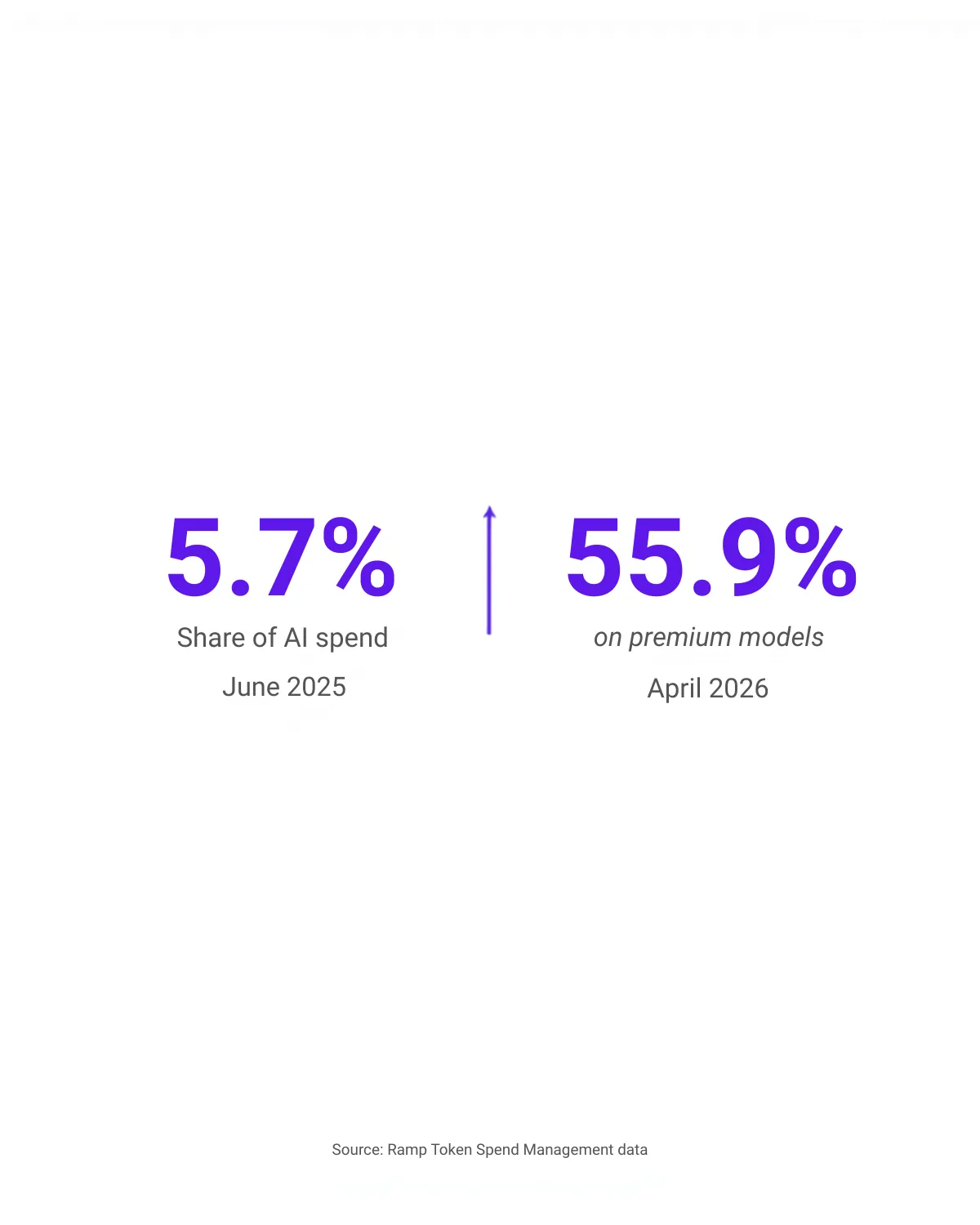
Premium models went from 5.7% to 55.9% of AI spend in ten months. Source: Ramp Token Spend Management data
Gartner’s 2026 CMO Spend Survey found marketing leaders now put 15.3% of their budget into AI, but only 30% say their team is actually ready to scale what they’ve bought. That gap is the whole problem in one stat: spend is outrunning strategy.
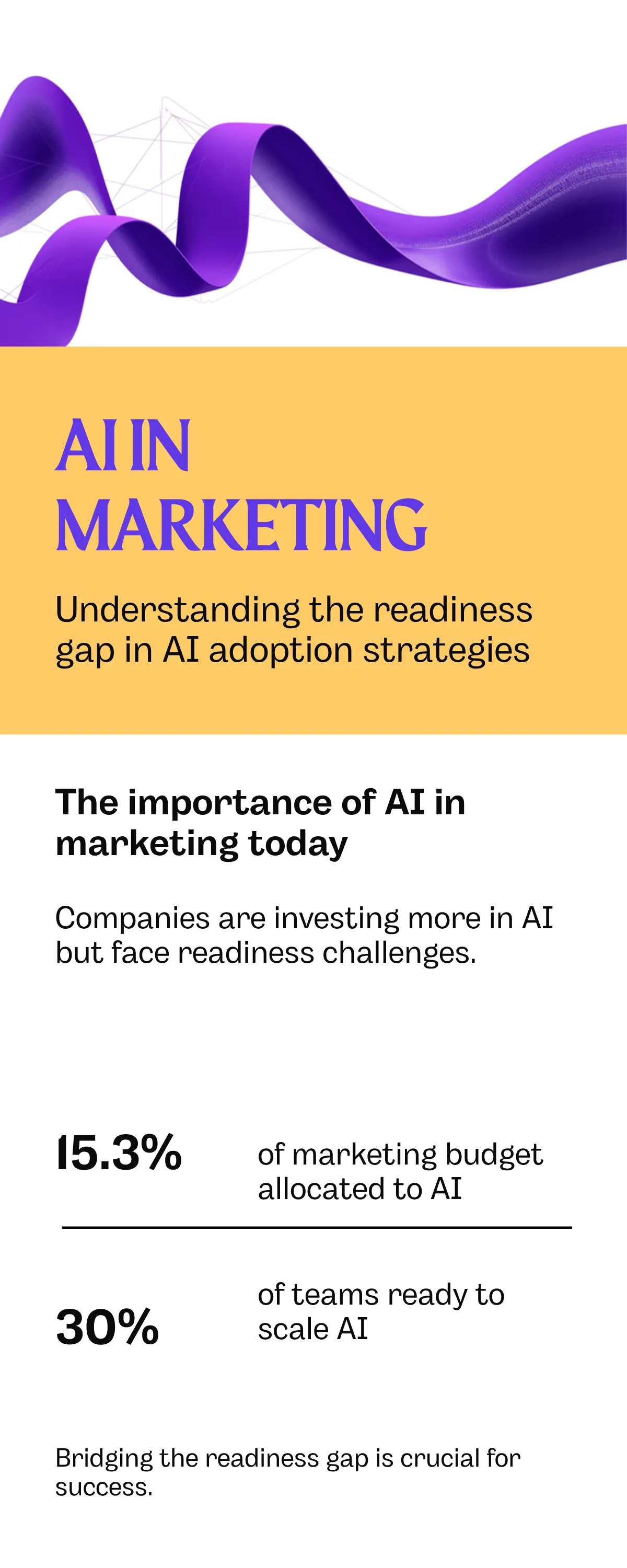
Source: Gartner 2026 CMO Spend Survey
Pillar 1: Save Cost
This is the most measurable pillar and the most ignored one. “AI is expensive now” is a modeling problem, not a fact. Routing simple, high volume tasks, first drafts, summaries, tagging, to smaller and cheaper models, and saving frontier models for judgment calls, is the difference between a marketing team whose AI spend tracks with output and one whose AI spend just tracks with hype.
If you can’t point to a number, dollars saved on a task you used to pay an agency or a contractor for, or hours of manual work that no longer needs a headcount, the cost pillar isn’t being satisfied. It’s being assumed.
Pillar 2: Save Time
Here the data is genuinely good, when the tool is used on the right task. HubSpot’s 2026 State of Marketing report, which surveyed more than 1,500 marketers, found 86.4% of marketing teams now use AI in at least a few areas of their work. Time savings cluster in bands: about a third of teams save 1 to 9 hours a week, another third save 10 to 14 hours, and another third save 15 hours or more.
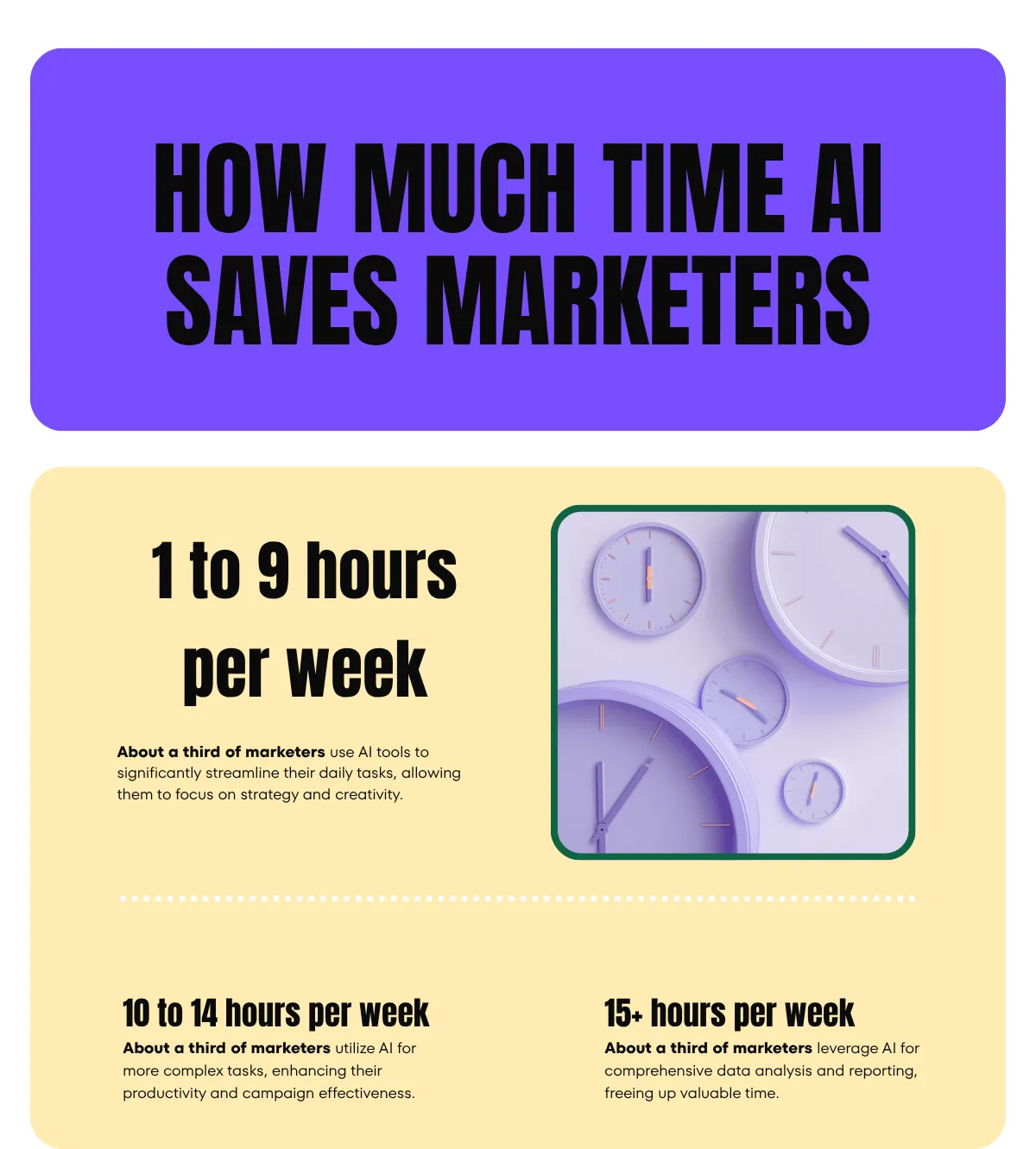
Source: HubSpot State of Marketing 2026
But time saved on the wrong task isn’t a win. Generating twelve variations of a caption in ninety seconds isn’t time saved if you then spend twenty minutes deciding which of the twelve to post. Real time savings collapse a task that used to take hours into one that takes minutes: first draft research, meeting notes into action items, a campaign brief into working copy. If the “time saved” just moves further down the workflow, it isn’t saved. It’s deferred.
Pillar 3: Work Faster
This is the pillar most teams never reach, and there’s a sobering number behind why. MIT’s NANDA initiative surveyed 153 leaders and analyzed more than 300 enterprise AI deployments in its GenAI Divide report, and found that 95% of generative AI pilots inside companies show no measurable return. Not underwhelming. Zero.
The 5% that do work share one trait: the AI isn’t bolted onto a workflow, it’s built into one, with a specific, narrow job and a feedback loop that lets it actually improve at that job over time. Everyone else is running a chatbot with extra steps and calling it transformation.
Working faster doesn’t mean more output. It means less distance between deciding to do something and having it done, with humans still doing the parts that need judgment.
From My Desk
Here’s the example that stuck with me this year. A marketing agency I know leaned hard into AI generated UGC style video ads: full campaigns, dozens of variations, generated instead of shot. When they finally ran the actual numbers against a comparable campaign using real influencers, the AI route cost more. Video generation runs on the same rising per-token and per-generation costs driving up every frontier model bill, and at the volume they were generating, it added up past what a handful of real creators would have cost.
The AI ads also underperformed. Lower reach, lower engagement, less of the authenticity that makes someone trust a recommendation from a real person. Creators who made organic content around the same kind of product outperformed the generated ads on every metric that mattered.
That’s the failure mode in miniature. AI that looks impressive in a demo isn’t the same as AI that clears the cost bar, the time bar, or the speed bar. It has to actually win on one of the three. Looking capable of it doesn’t count.
My test for any tool pitch now: can I name a dollar figure it saved this quarter? Does it collapse a task, or just move the work downstream? Is it embedded in a real workflow, or a demo I’ll open twice and forget? If the honest answer is no on all three, I pass. Impressive isn’t a budget line.
A 10-Minute Audit For Your Own Stack
Before your next AI subscription renewal, or the next “let’s add an agent for that” conversation, run this against every tool currently in your stack.
- Cost: Can you name a dollar figure this tool has saved you this quarter? If not, you’re guessing.
- Time: Does it collapse a task, or just relocate the work to a later step: review, editing, deciding?
- Speed: Is it embedded in an actual workflow with a feedback loop, or is it a standalone chatbot you occasionally remember to open?
Anything that doesn’t clear one of the three, cut it. Not because AI is bad. Because tokens aren’t free anymore, and neither is your attention.
Frequently Asked Questions
Why are AI token costs rising if prices keep falling?
Both are true at once. Per-token prices for commodity models keep dropping, but frontier model pricing has been climbing, and businesses are shifting more of their usage toward those pricier frontier models. Ramp’s payment data shows premium models went from 5.7% of business AI spend in June 2025 to 55.9% by April 2026, even though they’re a much smaller share of total tokens used. The average bill goes up because the mix shifts toward the expensive tier, not because every model got pricier.
What counts as real time savings from AI?
Time savings that collapse a task, not just relocate it. If a tool cuts a two hour research task down to fifteen minutes, that’s real. If it generates ten options in seconds but you then spend twenty minutes reviewing and choosing between them, the saved time just moved to a different step in the process.
Why do most AI pilots fail to show a return?
MIT’s NANDA initiative found 95% of enterprise generative AI pilots show no measurable return, largely because the tools get bolted onto an existing workflow instead of built into one with a specific job and a feedback loop. The 5% that succeed integrate deeply into one high value process rather than being deployed broadly and generically.
How do I audit my own AI stack?
Run every tool through three questions. Can you name a dollar figure it saved this quarter? Does it collapse a task instead of just moving the work downstream? Is it embedded in a real workflow with a feedback loop, rather than a standalone tool you rarely open? Anything that clears none of the three is a candidate to cut.